

Microsoft announced the General Availability of Copilot Cowork on June 16th and the most immediate reaction from the online audience has been on its pricing model. Unlike the flat fee of Microsoft 365 Copilot premium licenses, using Copilot Cowork will always require consuming Copilot Credits. The $30pupm M365 Copilot is merely a prerequisite of unlocking Cowork.
To help customers estimate what the cost of running Cowork in their organization might be, Microsoft chose a somewhat legacy tool for the AI era: an Excel workbook. While this is of course functionally a solid way to simulate licensing costs, it is hardly an exciting way to communicate the topic.
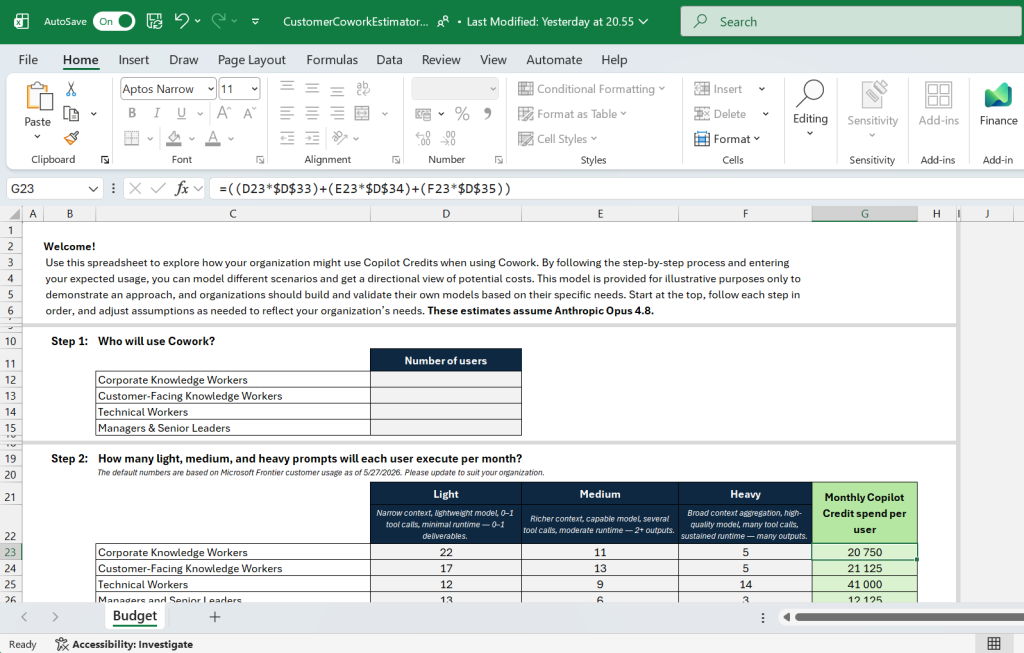
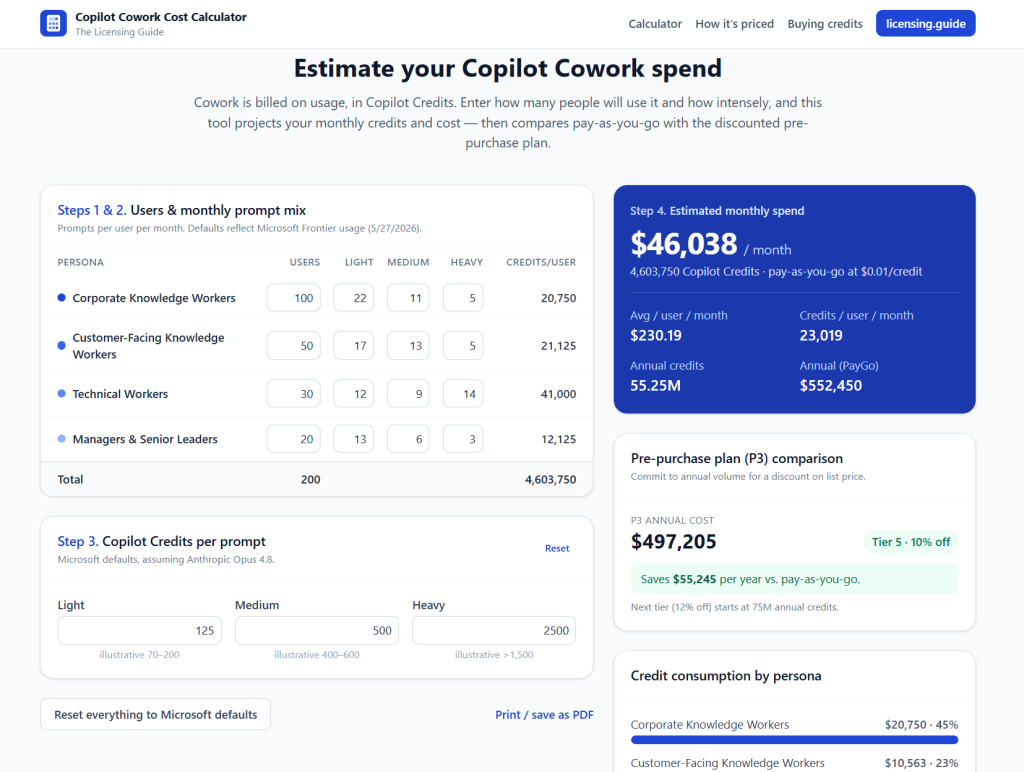
I had previously built an interactive online calculator for estimating Microsoft Dataverse capacity. With this experience, I decided to turn this Excel spreadsheet and the related materials published by Microsoft into a more modern web experience.
Copilot Cowork Cost Calculator
The end-result is now live at https://cowork.licensing.guide .
Given how this page was up and running less than 24h after Cowork GA announcement, it’s pretty obvious that I have leveraged AI coding agents in building it. The fun part is this, though: it was built with Copilot Cowork. Yes, the same tool that is the target of the licensing model documentation was pretty much everything needed for making the live online calculator happen.
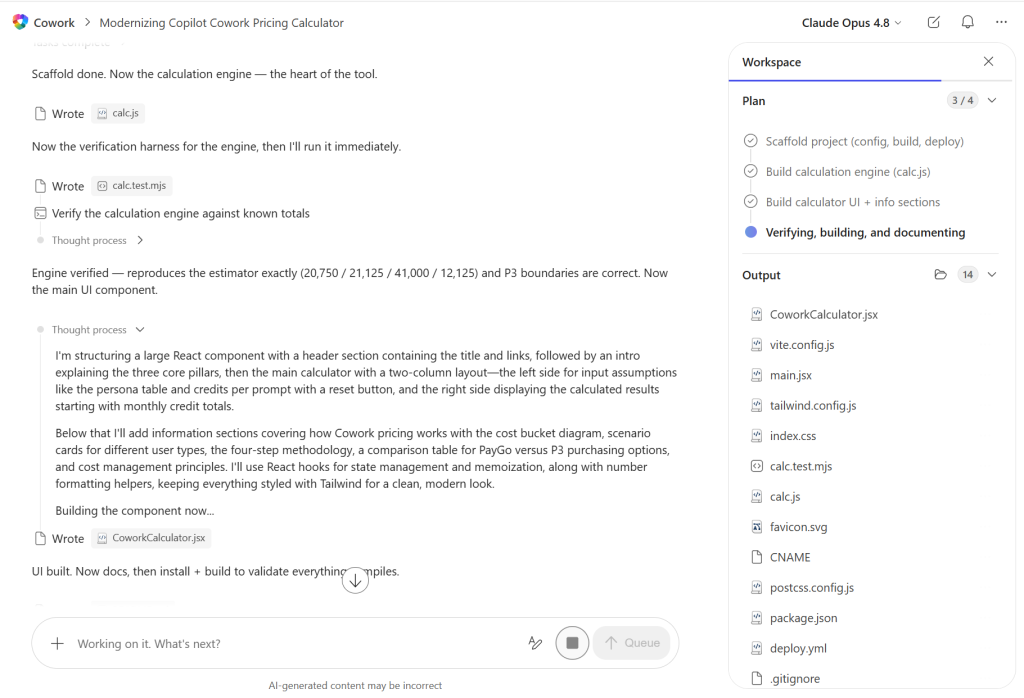
While Copilot Cowork is not exactly intended to be a software developer tool, it is based on models like Anthropic Opus 4.8 and an agentic harness that guides the creation of artifacts – whether they are documents or code. Moving the output of Cowork into a GitHub repo and doing some polishing work with Claude Code was all it took.
I consider this a good reminder of the reasons why running tasks via Copilot Cowork can be considerably more expensive for users than the regular Microsoft 365 Copilot chat. Long-running end-to-end tasks like creating a calculator website are something where the cost of $10+ per prompt can be justified. Whereas the creation of basic Office documents is better done with the in-app agents offered by existing Microsoft 365 Copilot licenses.
To understand what is included in Basic Copilot Chat and what requires a Microsoft 365 Copilot Premium subscription, see my earlier post: